Chhath Puja Couple Photo AI Prompts: Free Workflow for Indian Festivals
How to craft realistic, respectful, and culturally accurate Chhath Puja young adult couple portraits using free AI tools without cartoon artifacts. Dual English & Hindi guide.
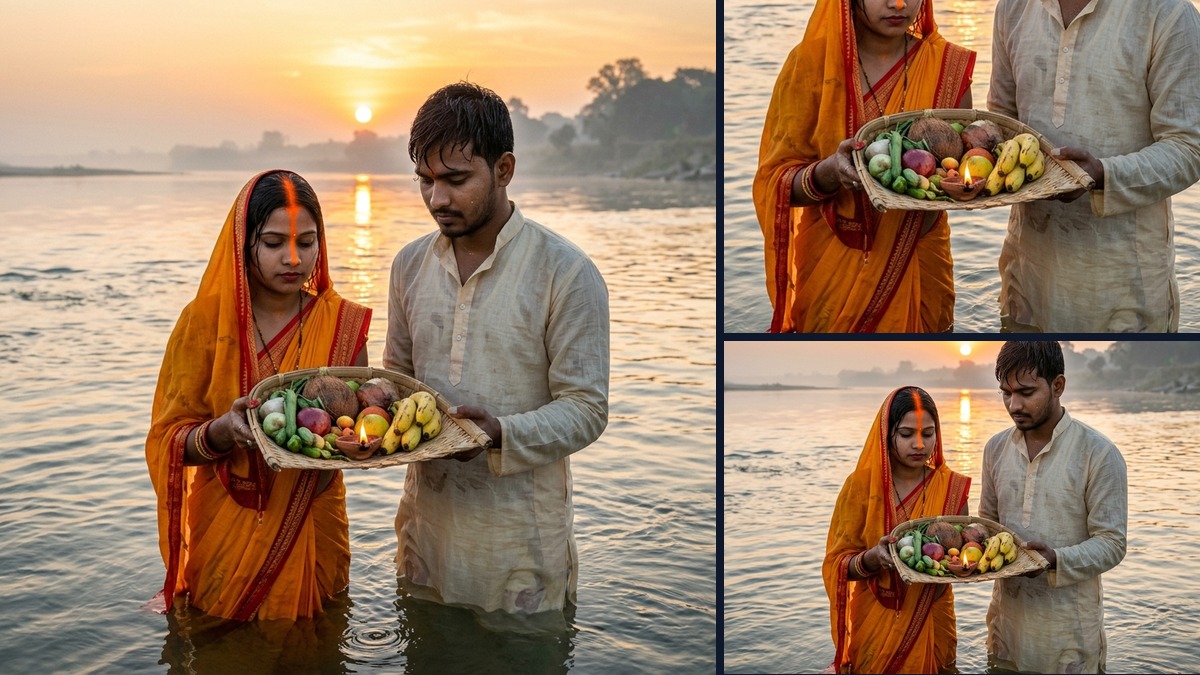
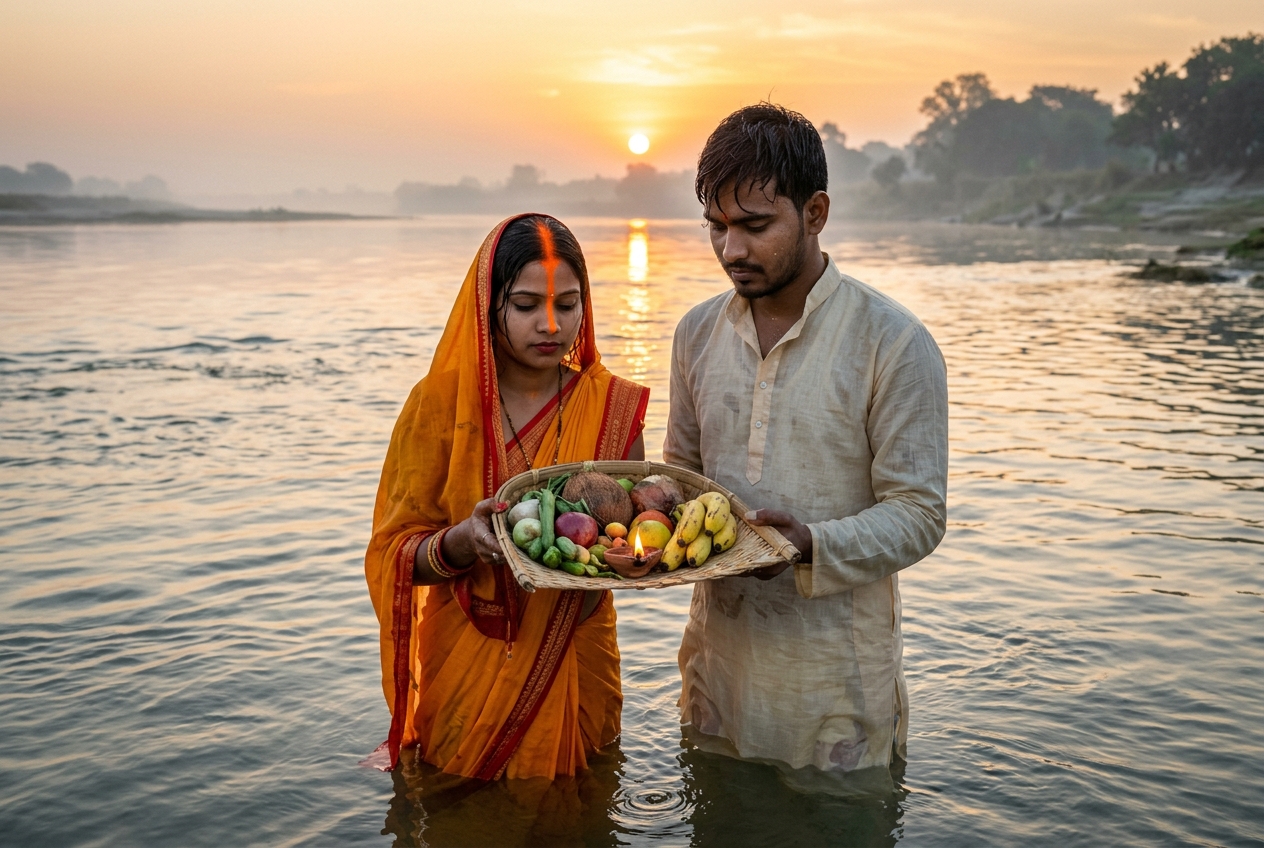
Full View: Authentic couple offering morning Arghya in river water
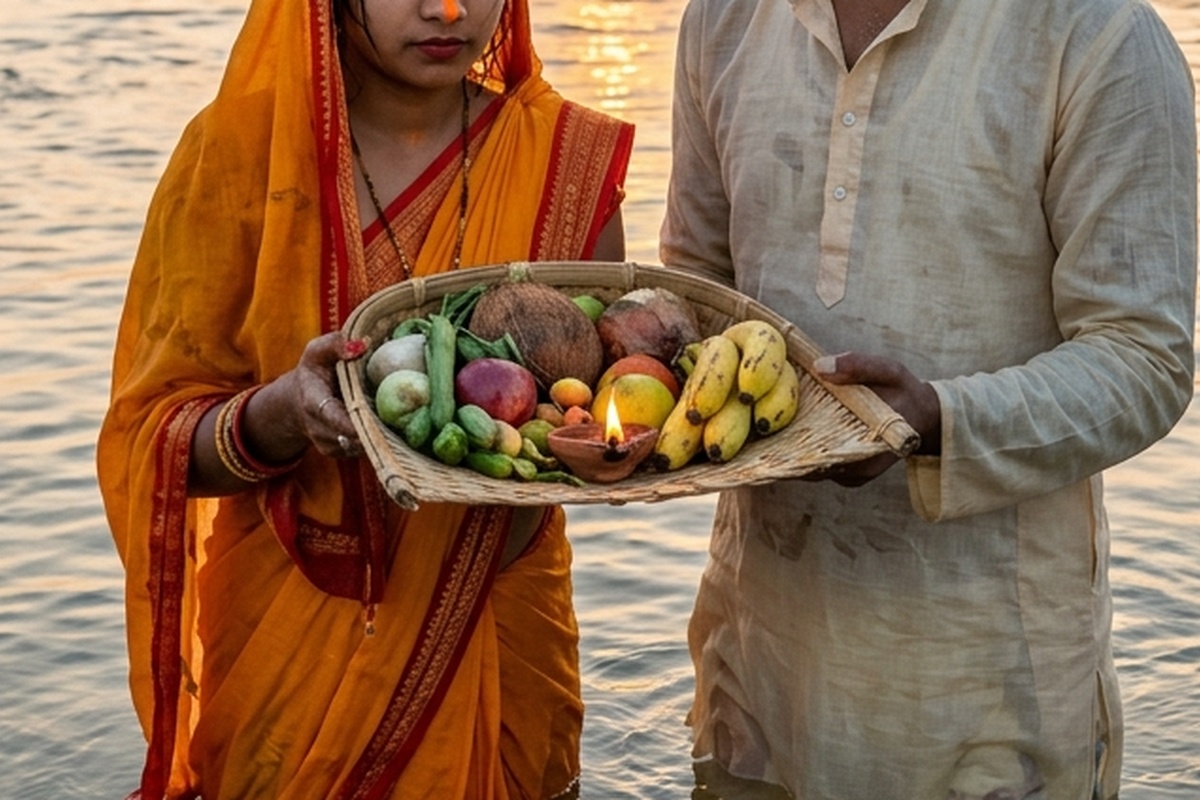
Macro Ritual Detail: Traditional bamboo soop, fresh fruits and morning flame
Plastic hyper-glossy skin, exaggerated cartoonish neon water, culturally inaccurate clothing.
Authentic cotton/silk saree textures, realistic morning river mist, accurate traditional puja soop offerings and natural lighting.
Why Most AI Image Prompts for Young Couples Look Awful
If you copy generic prompts from Twitter or Instagram, the results usually look like a tacky 3D animated film: the people look like plastic mannequins, the water looks like toxic blue gel, and traditional elements like the soop or daura are completely mangled.
To generate an authentic, realistic young adult couple (in their early 20s, with no small children or cartoon distortions), your prompt must specify exact ages, traditional handloom weaves, and optical camera physics.
The Master Cultural Anchor Prompt (Copy & Paste)
“Documentary 35mm photograph of an Indian young adult couple (in their early 20s, age 21 to 24, adult couple only) standing waist-deep in calm river water during sunrise at Chhath Puja. The young woman is wearing a traditional yellow and crimson cotton bandhani saree with subtle gold border, holding a sacred bamboo soop filled with fresh fruits, sugarcane, and a glowing clay diya. The young man beside her is wearing a light linen khadi kurta, hands folded in morning prayer. Golden hour sunlight casting soft warm reflections across natural water ripples, gentle morning mist on the riverbank, candid photo, natural skin pores, realistic depth of field, 8k resolution, authentic festival photography.”
Negative Prompts to Always Include
Add these keywords to your negative prompt box to avoid the cartoon look:
“cartoon, 3D render, glossy plastic skin, doll face, oversaturated neon, extra fingers, deformed hands, western clothing, children, toddlers, fake lighting.”
छठ पूजा की युवा जोड़े (Young Couple) की AI फोटो प्लास्टिक जैसी क्यों बन जाती है?
इंटरनेट से कॉपी किए गए आम प्रॉम्ट्स से जब भी कोई छठ पूजा की फोटो बनाता है, तो वह किसी वीडियो गेम या कार्टून जैसी दिखने लगती है: चेहरे पर प्लास्टिक जैसी चमक होती है, पानी का रंग अजीब सा नीला दिखता है और पूजा का सूप या दउरा बिल्कुल गलत बनता है।
अगर आप चाहते हैं कि AI बिल्कुल असली युवा जोड़े (21 से 24 वर्ष के वयस्क, बिना किसी छोटे बच्चे या कार्टून लुक के) की फोटो बनाए, तो आपको प्रॉम्ट में सटीक उम्र, सूती-रेशमी कपड़ों की बनावट और सुबह की धूप की बारीकियों को शामिल करना होगा।
असली जैसी फोटो बनाने वाला मास्टर प्रॉम्ट (कॉपी करें)
इस प्रॉम्ट को कॉपी करके Bing Image Creator, Midjourney या Google Gemini में इस्तेमाल करें:
“Documentary 35mm photograph of an Indian young adult couple (in their early 20s, age 21 to 24, adult couple only) standing waist-deep in calm river water during sunrise at Chhath Puja. The young woman is wearing a traditional yellow and crimson cotton bandhani saree with subtle gold border, holding a sacred bamboo soop filled with fresh fruits, sugarcane, and a glowing clay diya. The young man beside her is wearing a light linen khadi kurta, hands folded in morning prayer. Golden hour sunlight casting soft warm reflections across natural water ripples, gentle morning mist on the riverbank, candid photo, natural skin pores, realistic depth of field, 8k resolution, authentic festival photography.”
नेगेटिव प्रॉम्ट (Negative Prompt) में यह जरूर लिखें:
ताकि AI फोटो में कार्टून या बच्चों का गलत असर न आए:
“cartoon, 3D render, glossy plastic skin, doll face, oversaturated neon, extra fingers, deformed hands, western clothing, children, toddlers, fake lighting.”
Quick Answers
Is this workflow completely free, or do I need a paid plan?+
The core workflow uses free or freemium tools (like the ones named in this guide). Where a premium version helps, I say so explicitly so you can start at ₹0 and only upgrade if you need the extra quality.
Which app works best on a mid-range Android phone?+
On budget Android, the mobile-native tools (CapCut, Snapseed, VN) run best without lag. The desktop/browser AI tools give higher results but need a computer or decent phone, so match the tool to the hardware you actually have.
Will these results look "AI-ish" or fake to viewers?+
No — that's the whole point of the multi-pass approach. The key is to preserve natural texture, reflection, and physics (as explained in the steps above) rather than letting one aggressive pass wash everything out. Done right, it looks like the original scene.
More Guides & Reviews
3 Free AI Tools to Fix Grainy, Low-Light Wedding & Sangeet Videos on Your Phone
How to de-noise, upscale, and salvage dark, muddy wedding and party video clips directly on iOS and Android without paying for expensive desktop software. Dual English & Hindi guide.
Are Meta Ray-Ban Smart Glasses Worth It for Travel & Street Vlogging in India?
We tested the Meta Ray-Ban smart glasses across bustling Indian railway stations, street food markets, and night bazars. Honest dual English & Hindi review.
Diwali Low-Light Photo & Video AI Fix: Free Mobile Workflow
How to fix dark, grainy Diwali diya portraits and sparkler videos using free smartphone AI tools. Complete dual English & Hindi tutorial.
How to Start an AI Photo Restoration Side-Hustle for Local & Online Clients
Step-by-step blueprint to restore torn, faded, and low-res family portraits using AI. Turn this high-demand service into a ₹25,000 to ₹50,000/mo micro-hustle. Dual English & Hindi guide.